
 Barça
Barça Peñarol
 Inter Miami
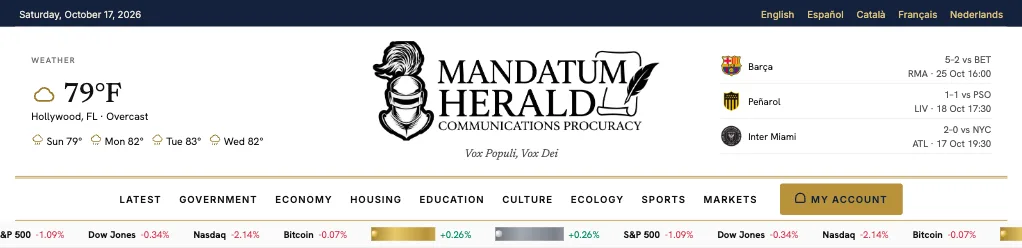
The Mandatum Herald is a digital newsroom built to keep readers informed in one clean, fast and easy-to-use place. It brings together original reporting, a live market ticker, a full weather center and sports scores with league standings, all under the same design and without the clutter of a typical news portal.
What it is
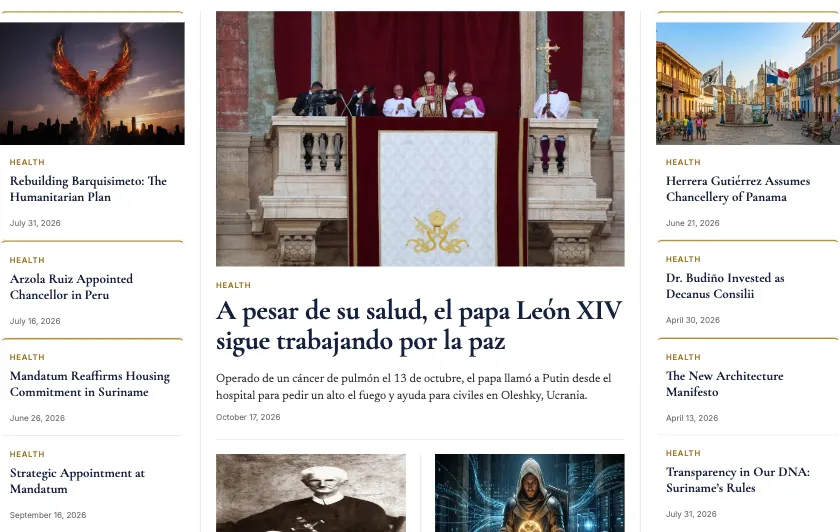
The Mandatum Herald is the news platform of the Communications Procuracy, which is led by its Procuradora, MM Doña Bibiana Casartelli. It is published at news.emandatum.com. Its motto, Vox Populi, Vox Dei, appears under the masthead. It is also where the Order, ORDO SUPREMUS PRO CAUSIS HUMANITARIIS, publishes its news: appointments, official announcements and the many activities it carries out. The site is organized as a classic newspaper front page: a lead story in the center, supporting stories on each side, and a menu that takes you straight to each section.
What it is for
- Following the Order. Mandatum news appears here first: appointments of officers and members, announcements from its leadership and governing bodies, and reports on the humanitarian activities and events the Order carries out.
- Reading the news that matters. Stories are grouped by section: Government, Economy, Housing, Education, Culture and Ecology, plus Health, Opinion and Editorial pieces.
- Following the markets at a glance. A ticker under the menu scrolls major indices, Bitcoin, gold and silver, with the daily change in green or red. A dedicated Markets page goes deeper.
- Checking the weather before you leave the house. A weather block in the header shows the current temperature and the next few days, and one click opens a full weather center.
- Keeping up with your teams. The header shows a quick scoreboard, and the Sports page covers scores, schedules and standings by league.
- Reading in your own language. The bar at the very top lets you switch between English, Español, Català, Français and Nederlands.
How to use it
1. Browse by section
Use the main menu at the top: Latest, Government, Economy, Housing, Education, Culture, Ecology, Sports and Markets. On the front page, every story card lifts slightly when you hover over it, and the photo moves gently, so you always know what you are about to open. At the bottom of each article, a Keep Reading block suggests more stories.
2. Open the weather center
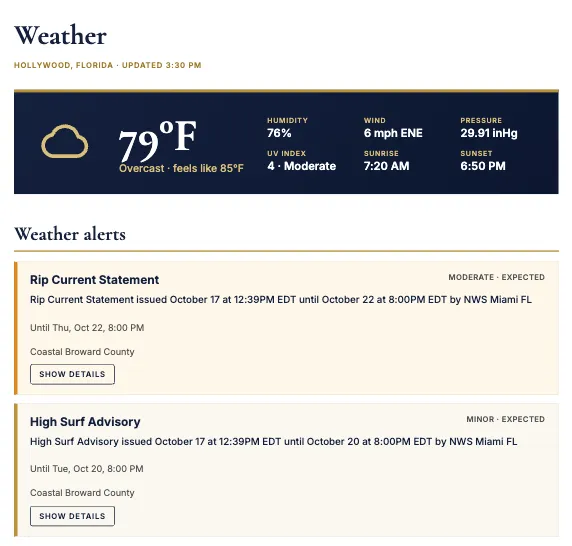
Click the weather block in the top-left corner of the header. The weather page brings together active alerts, an hourly outlook, a seven-day forecast and a short written briefing, together with links to official sources.
3. Follow the scores and standings
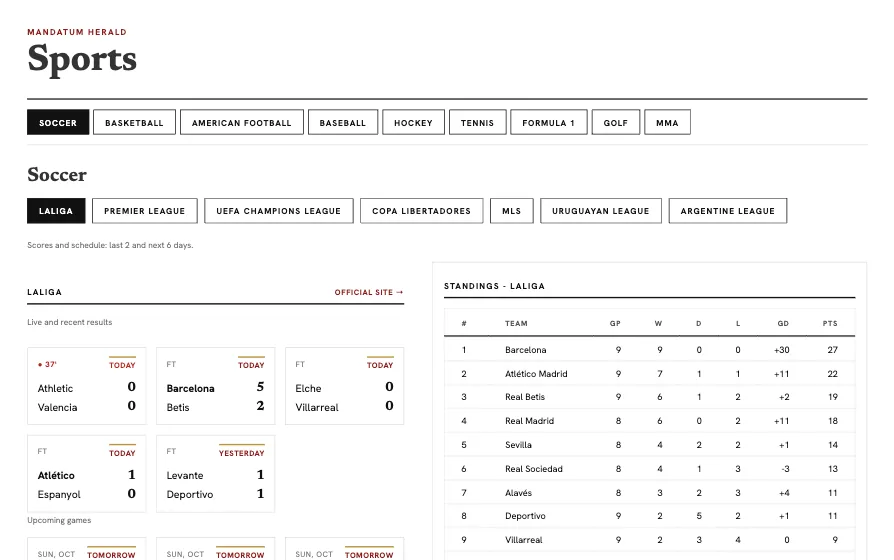
Open Sports from the menu. Choose a sport using the buttons at the top (Soccer, Basketball, American football, Baseball, Hockey, Tennis, Formula 1, Golf or MMA). Then pick a league with the second row of buttons and the page shows that league’s recent results, upcoming games and, where available, its standings table. Soccer includes LaLiga, the Premier League, the UEFA Champions League, the Copa Libertadores, MLS and more.
4. Create your free account
Select My Account in the menu. A window opens where you can sign in, or choose Register — it’s free to create a free membership. Once you are signed in, the same button becomes a small menu with My profile and Log out. After signing in you stay on the page you were reading. Some stories are reserved for members, and membership costs nothing.
5. Stay informed by email
Use the Subscribe — It’s free tab on the side of the screen, or the welcome window that appears after a short time on the site, to receive the Herald’s updates in your inbox. You can close that window at any time and keep reading.
6. Make it comfortable to read
The accessibility button on the left edge lets you enlarge the text, change the contrast or switch to a more readable font. The site is designed to work on phones, tablets and desktop screens.
In short
The Mandatum Herald puts the news, the markets, the weather and the scores in one calm, well-organized place. Explore the menu, create your free account, and let us know what you would like to see next.